Reviews are often the deciding factor when someone in Bendigo compares two local businesses on Google. Most happy customers are glad to leave one. They just do not think of it unless you ask, and most business owners feel awkward asking.
If you have been wondering how to get Google reviews without feeling like you are begging, the answer is to make asking a normal part of finishing a job. Here is how.
Why are Google reviews worth the effort?
Reviews show up right beside your business on Google Search and Maps, so they are part of the first impression. They give new customers confidence, they tell Google your business is active, and the words people use often describe what you do better than you would.
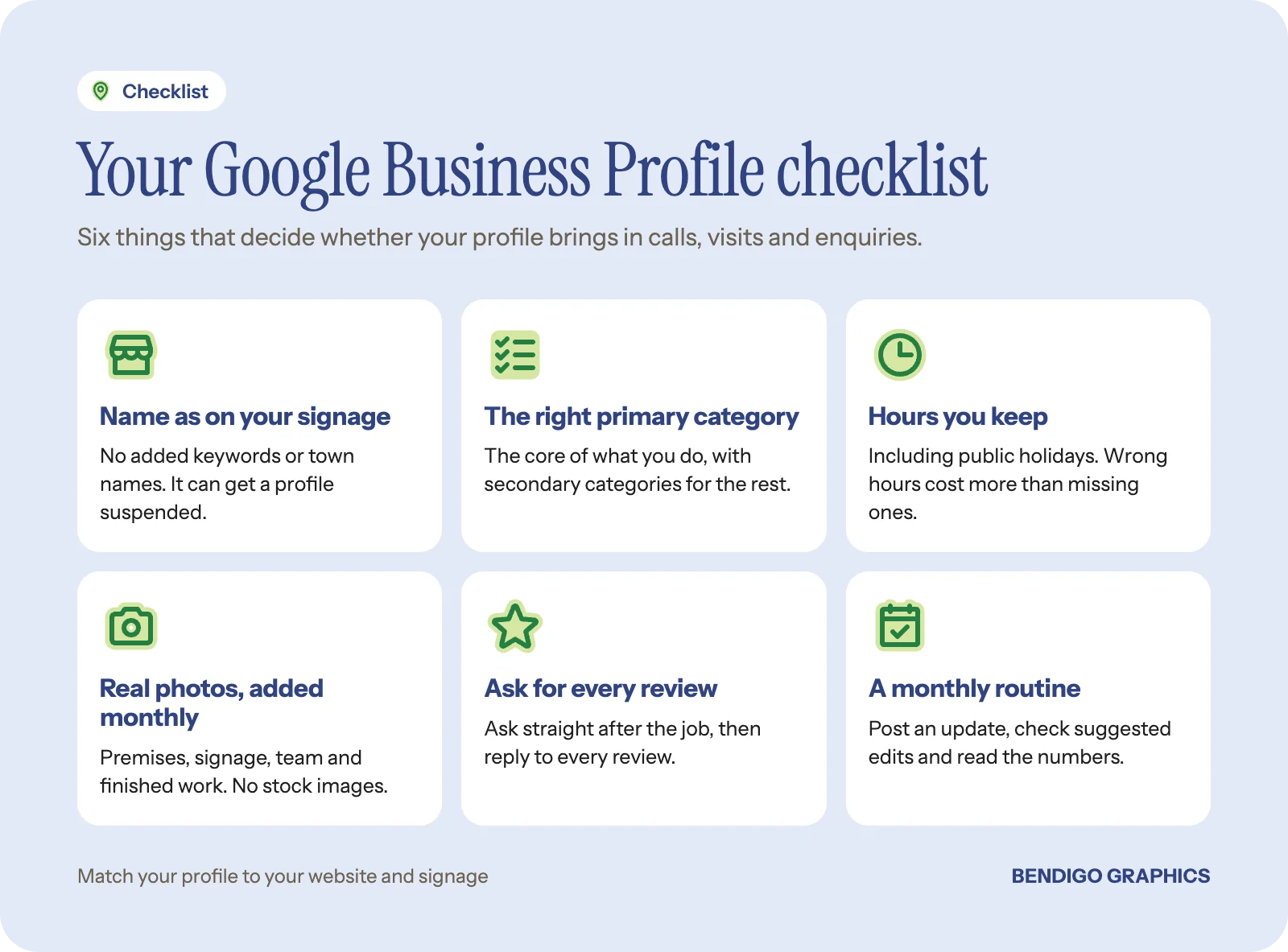
They work best on a complete, up to date listing. If yours needs attention, start with our Google Business Profile checklist.
How to get Google reviews: start with your link
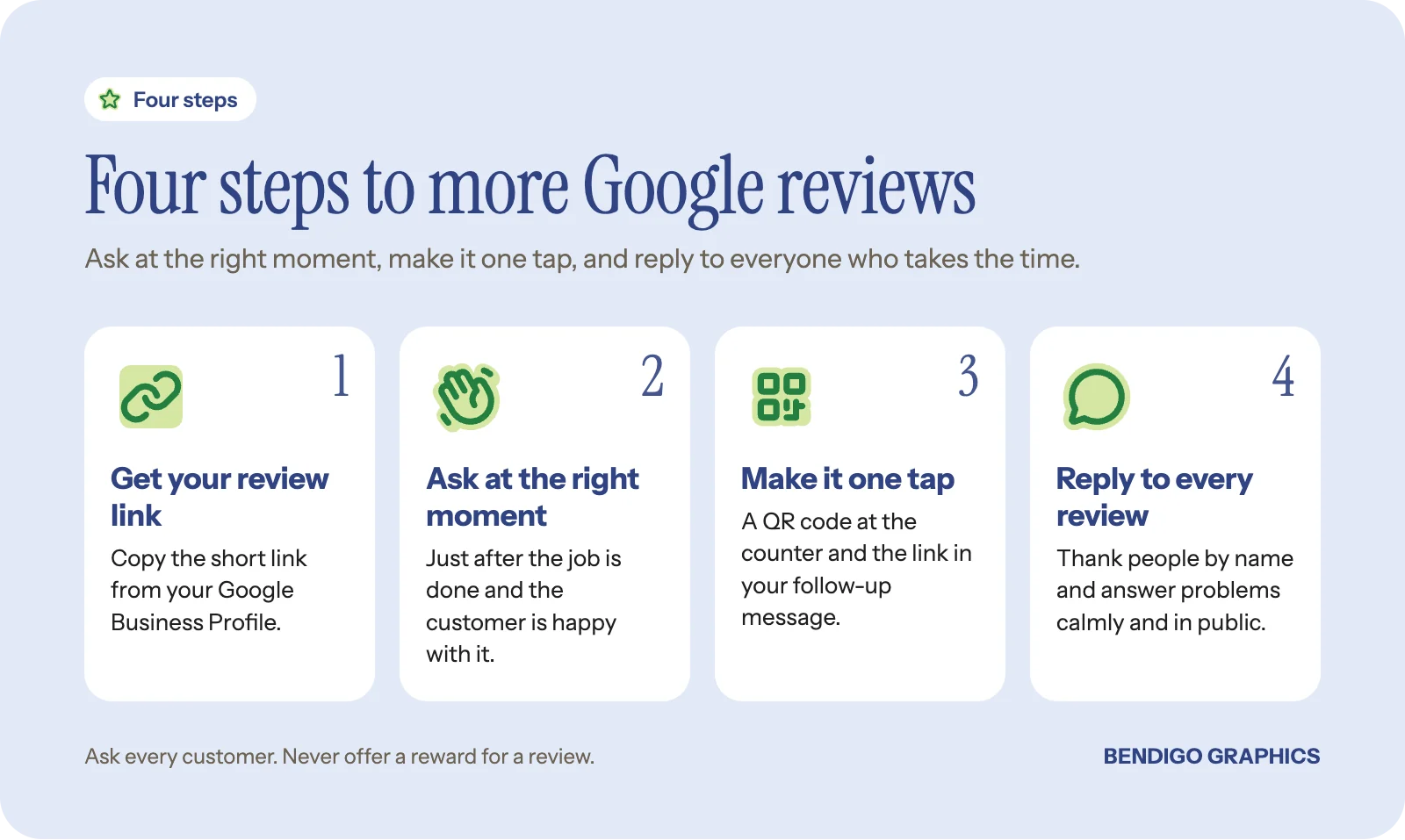
Your Google Business Profile gives you a short link that opens the review box directly. Find it in your profile's option to ask for reviews, copy it and keep it somewhere handy. Everything else in this guide is about putting that link in front of customers at the right time.
Turn the same link into a QR code for anything printed, so customers can scan it with their phone instead of searching for you.
When is the best time to ask?
Ask when the customer is happiest, which is usually just after the job is finished or the product is in their hands.
Trades: when you are packing up and they have just said the job looks great.
Cafes and shops: when a regular thanks you or pays a compliment.
Services and clinics: at the end of an appointment that went well.
Online or remote work: in the message that confirms the job is done.
Do not leave it weeks. The longer the gap, the less likely people are to follow through.
What to say so it is not awkward
Keep it short, sincere and easy to say no to. Something like:
"We are a small local business and reviews really help people find us. If you have a minute, would you mind leaving one?"
"Glad you are happy with it. If you are keen to leave a Google review, the link is in the message I just sent."
"It would mean a lot if you shared how it went on Google. There is a QR code on the counter."
Then send the link straight away, while they still have their phone in their hand.
Rule of thumb: ask everyone, not only the customers you are sure will be happy. That keeps it within Google's rules and gives you an honest picture.
Make it one tap from print and email
The easier it is, the more people do it. Put your review link or QR code wherever the customer already is:
At the counter: a postcard on a stand with a QR code and one line asking for a review.
With the order: a small card or a loyalty card with the QR code on the back.
On the job: a business card with the QR code, left with the customer at the end.
By email or text: the link in your job-complete message or your regular newsletter. Our guide to starting email marketing covers the newsletter side.
What Google does not allow
A few shortcuts can get reviews removed or your profile flagged, so steer clear of them:
No rewards for reviews. Discounts, freebies or prize draws in exchange for a review are against Google's policies.
No picking and choosing. Asking only the customers you expect to be happy, or sending unhappy ones somewhere else, is not allowed.
No fake or staff reviews. Reviews should come from real customers about real experiences, not from you, your team or your family.
No buying reviews. Ever.
Reply to every review, good and bad
Replies are read by the next customer as much as the reviewer. Thank people by name for good reviews and mention something specific. For a bad review, reply calmly, acknowledge the problem, and offer to sort it out by phone or email. A fair reply to a complaint often does more for your reputation than another five stars.
If keeping up with reviews and replies is slipping, reviews in Pulse puts them in one place with the rest of your marketing.
Good to know: a steady trickle of new reviews looks better than a burst followed by nothing. Make asking a habit, not a campaign.
Common questions
How do I get more Google reviews quickly?
Ask every customer at the end of the job, send your review link straight away, and put a QR code at the counter. A habit of asking adds up faster than you expect.
Can I offer a discount for a Google review?
No. Google does not allow rewards or incentives in exchange for reviews.
Should I reply to negative reviews?
Yes. Reply calmly and briefly, acknowledge the issue and offer to fix it offline. Future customers read the reply as much as the review.
Where do I find my Google review link?
In your Google Business Profile, under the option to ask for reviews. Copy the link and use it in messages and on printed QR codes.
For help with reviews, your Google profile and the rest of your local marketing, see our marketing services.